Direct Downloader Code
Use the Downloader app on Firestick or Android and enter code 2629562 to install the app instantly.
Download APKStream 20,000+ live TV channels and 180,000+ movies & series with the official Xtreme HD IPTV app. Parental control, EPG guide, multi-screen support, offline downloads and screen recording — all built-in.
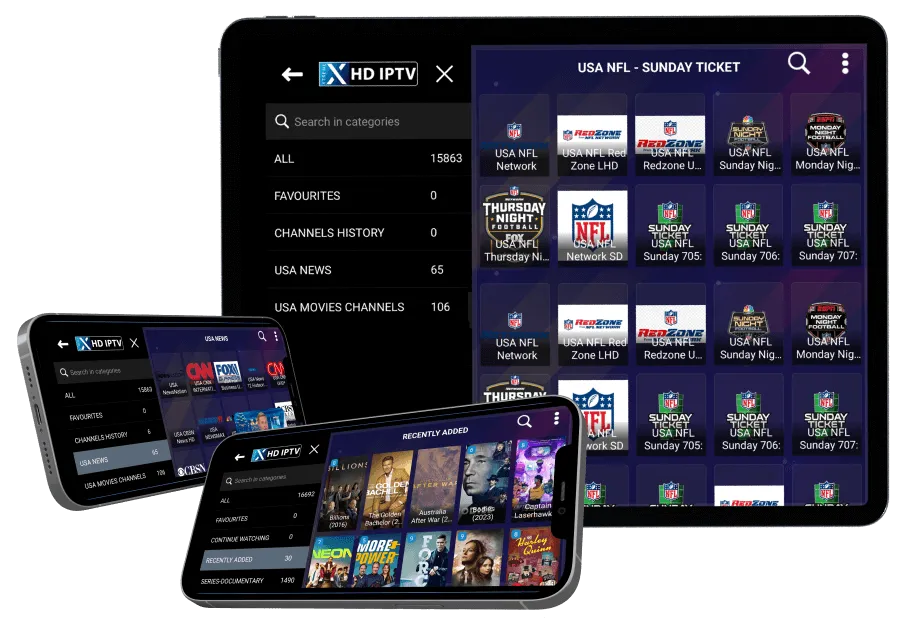
Choose the download method that fits your device. Every option is free and takes under a minute.
Use the Downloader app on Firestick or Android and enter code 2629562 to install the app instantly.
Download APKDownload the official Xtreme HD IPTV app directly from Google Play for Android phones, tablets and Android TV.
Get on Google PlayWatch Xtreme HD IPTV instantly in your browser — no install required. Works on Smart TVs, PCs and laptops.
Open WebTV PlayerStep-by-step setup guides for every supported device — Firestick, Android TV, Smart TV, iOS and Windows.
View Setup GuidesFrom signup to your first show in under 3 minutes with the Xtreme HD IPTV app.
Choose your Xtreme HD IPTV plan and create your account in under a minute.
Download the Xtreme HD IPTV app with the Downloader code 2629562.
Open the app and log in with the IPTV credentials sent to your email inbox.
Browse 20,000+ channels and 180,000+ VOD titles — stream instantly in HD & 4K.
Everything you need for the ultimate streaming experience — packed into one beautifully designed app.
Crystal-clear picture quality up to 4K Ultra HD, with adaptive bitrate for smooth playback.
See what's playing on every channel with the built-in Electronic Program Guide.
Watch on 1 to 5 devices simultaneously — perfect for the whole family.
Lock adult channels and set PIN-protected viewing for kids — safe for the whole family.
Download movies and series to watch later — perfect for travel or low-bandwidth areas.
Capture your favorite moments and share clips with friends directly from the app.
The Xtreme HD IPTV app is compatible with every major streaming platform.






You can download the official Xtreme HD IPTV app in three ways:
The Xtreme HD IPTV app works on Amazon Firestick & Fire TV, Android TV, Android Box, Android phones & tablets, NVIDIA Shield, Google Chromecast, Smart TVs (Samsung, LG, Sony), iOS devices and any device supporting M3U playlists.
The official Downloader code for Xtreme HD IPTV is 2629562. Open the Downloader app on your Firestick, type this code and press Go to install the Xtreme HD IPTV app.
Yes, the Xtreme HD IPTV app itself is completely free. You only need an active Xtreme HD IPTV subscription to stream channels.
Yes. The Xtreme HD IPTV app supports HD, FHD and 4K streaming quality on compatible devices. A stable internet connection of at least 15 Mbps per stream is recommended for 4K.
Yes. Depending on your Xtreme HD IPTV subscription plan, you can stream on 1 to 5 devices at the same time. Check our packages page for details.
A VPN is not required, but recommended for extra privacy. Do not use the "Connect VPN" button inside the app — install a VPN separately from your app store.
First, ensure you've entered the correct Downloader code 2629562 and that Unknown Sources is enabled on your device. If the issue persists, contact our 24/7 support on Telegram or email info@xtremehdiptv.site.